
The Inexpensive Upgrade That Can Make Phone Videos Sound Better: Are Wireless Lavalier Mics Worth It?
30 August 2026 · Media Pitch Product Expert
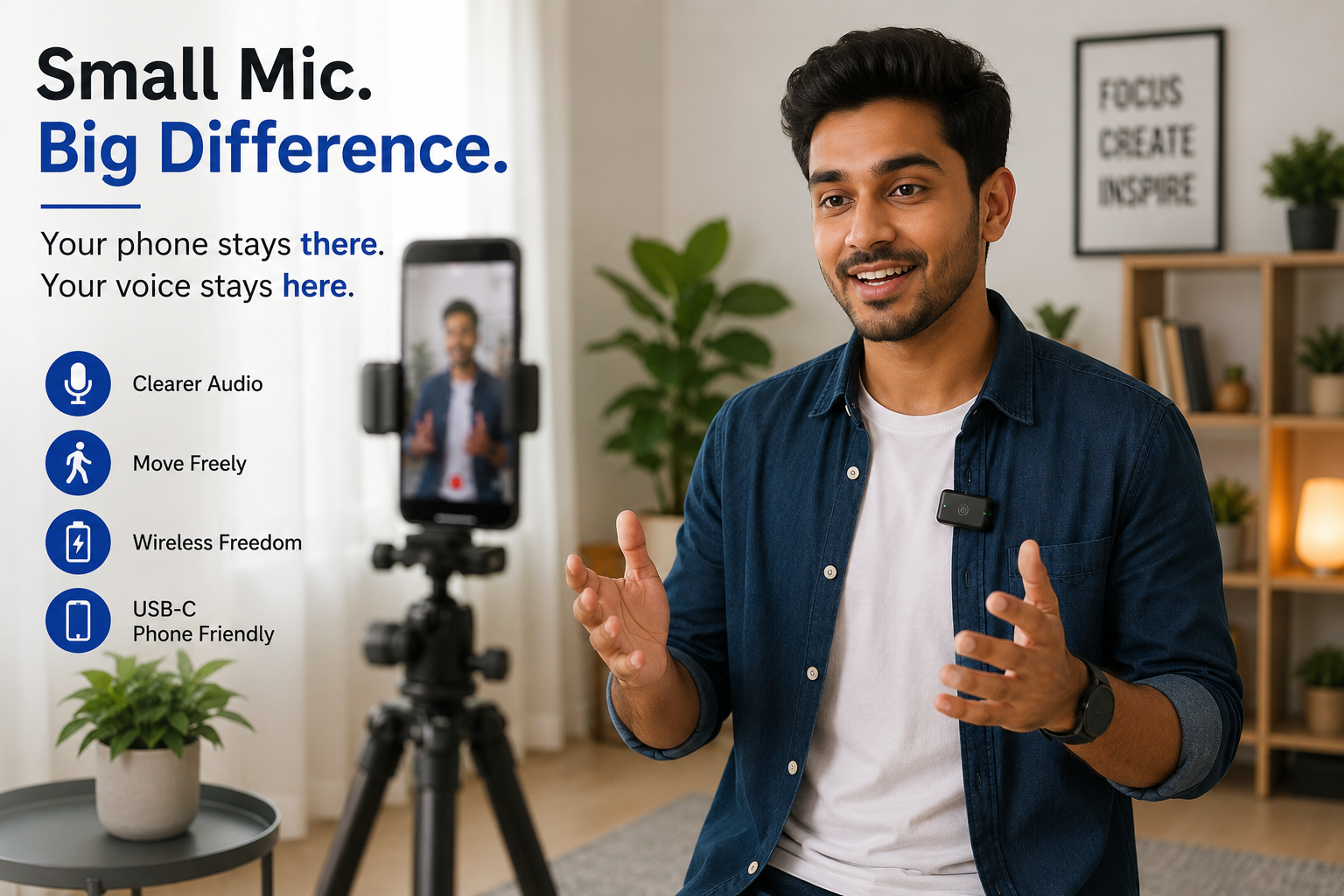
Your smartphone may already shoot excellent video, but audio can suffer when you step away from it. A small wireless lav mic could be the upgrade that makes the biggest difference.
★★★★★
Small, wireless and increasingly phone-friendly
Short answer: If you regularly record Reels, Shorts, interviews, tutorials or talking-head videos on your phone, a wireless lavalier microphone can be one of the most useful upgrades to your setup. Its biggest advantage is simple: the microphone stays close to your voice even when the phone is several feet away.
Modern smartphones can shoot remarkably good video.
But there is one problem that becomes obvious as soon as you move the phone away from your face:
the audio often gets worse much faster than the picture does.
Put the phone on a tripod across the room and your image may still look sharp. Your voice, however, may become quieter while room echo, traffic, ceiling fans and other background sounds become much more noticeable.
That is exactly the problem a wireless lavalier mic is designed to solve.
A tiny transmitter clips onto your clothing near your mouth. A receiver connects to your phone -- often directly through USB-C -- and your voice is captured much closer to its source.
For creators shooting primarily on a smartphone, that can make a wireless mic a more meaningful upgrade than another light, tripod or camera accessory.
Affiliate Disclosure: This article may contain affiliate links. If you purchase through one of these links, we may earn a commission at no additional cost to you. As an Amazon Associate, we earn from qualifying purchases.
Why does moving the microphone closer matter so much?
Imagine recording yourself standing three metres away from your phone.
The phone microphone has to capture:
- your voice;
- sound bouncing around the room;
- fans and air conditioners;
- traffic outside;
- other people nearby;
- general environmental noise.
Now clip a microphone a short distance below your mouth.
Your voice becomes much more prominent relative to many of those competing sounds because the microphone is much closer to you.
That is the fundamental advantage of a lavalier microphonev.
The wireless part simply allows you to keep that microphone close while moving freely.
What is a wireless lavalier mic?
A typical wireless phone-microphone systemv has two main components:
Transmitter
The small unit worn by the speaker. It contains or connects to the microphone
and sends the audio wirelessly.
Receiver
The unit attached to the recording device.
With phone-oriented systems, the receiver may plug directly into your smartphone's USB-C or Lightning port.
Current systems from manufacturers including DJI and Hollyland support direct USB-C smartphone connections, although exact compatibility varies by model and phone.
Some systems can also handle two transmitters, making them useful for conversations and interviews rather than just one-person videos. DJI, for example, documents support for connecting two transmitters to its Mic Mini receiver.
The biggest upgrade isn't necessarily “studio-quality audio”
This is worth understanding before buying.
A budget wireless mic does not magically transform a phone into a professional recording studio.
Its biggest advantage is usually more practical:
Your microphone follows you.
Suppose you're recording:
- a cooking demonstration;
- a fitness video;
- a product review;
- an Instagram Reel;
- a YouTube Short;
- an online lesson;
- a walking presentation.
With the phone's built-in microphonev, moving farther away can make your voice increasingly distant.
With a clipped wireless transmitter, the microphone remains roughly the same distance from your mouth.
That consistency can matter enormously for phone video.
Seven situations where a wireless lav mic makes sense
1. You record yourself standing away from your phone
This is the clearest reason to buy one.
If your phone sits on a tripod while you stand farther back to get your entire body or surroundings into frame, its built-in microphone is no longer ideally positioned.
A wireless lav mic lets you create the composition you want without forcing the recording device to remain close to your face.
For creators who frequently film alone, that can be transformative to the workflow.
2. You make Instagram Reels or YouTube Shorts
Short-form video often involves speaking directly to camera while:
- demonstrating something;
- walking;
- cooking;
- exercising;
- showing a product;
- moving through a location.
A small clip-on transmitter suits this style particularly well because you do not have to hold a microphone.
Your hands remain free and the phone can stay on a tripod.
3. You record tutorials
Tutorials are another strong use case.
Imagine teaching:
- cooking;
- crafts;
- makeup;
- fitness;
- home repair;
- software with occasional on-camera sections;
- educational lessons.
You need to be able to move around without constantly thinking about whether you are still close enough to the phone.
A wireless microphone can remove much of that concern.
4. You record interviews with your phone
For two-person interviews, look specifically for a system with two transmitters.
One clips onto each speaker.
That can be considerably more practical than placing the phone between two people and hoping its internal microphone captures both voices clearly.
But don't assume every “wireless microphone kit” includes two transmitters. Check the package contents carefully.
5. You shoot outdoors
Recording outside introduces wind and environmental noise.
Many wireless microphone kits include small furry windscreens -- often called windshields or “dead cats” -- that fit over the microphone.
They can help reduce wind hitting the microphone capsule directly.
Some current wireless systems also offer electronic noise-reduction modes. DJI's current smartphone-oriented mic receiver, for example, supports noise-cancellation controls.
Neither feature should be treated as magic.
A windscreen cannot remove every outdoor sound, and aggressive electronic noise reduction can sometimes change the character of a voice.
But having tools to manage outdoor recording is useful.
6. You make product-review or affiliate videos
This is an especially relevant use case for content creators.
Viewers may forgive slightly imperfect lighting.
They are much less patient when they cannot clearly understand what someone is saying.
A wireless lav mic lets you stand beside a product, hold it, demonstrate it and move around while continuing to record your voice from roughly the same position.
That makes it useful for:
- Amazon-style product demonstrations;
- Instagram reviews;
- YouTube Shorts;
- unboxings;
- comparison videos;
- talking-head affiliate content.
7. You use your phone as your main camera
This is perhaps the best reason of all.
If you aren't planning to buy a dedicated camera, there is little point in purchasing an audio system designed primarily around complicated camera connections if all you need is fast smartphone recording.
A USB-C phone receiver can be much simpler:
clip on mic → plug receiver into phone → check connection → record.
That convenience is one reason this product category has become increasingly attractive to phone-first creators.
Why USB-C wireless mics are particularly convenient now
USB-C has become increasingly common across modern smartphones, including newer iPhones as well as Android devices.
That has allowed microphone manufacturers to build small receivers that connect directly to the phone.
For example, DJI currently offers a smartphone receiver with a USB-C connection, while Hollyland documents USB-C connections for its Lark systems.
That can eliminate extra cables.
But this is where buyers need to be careful.
USB-C does not automatically mean compatible.
A connector fitting physically does not guarantee that every function will work with every phone or every app.
DJI maintains specific mobile-phone compatibility information for its microphone systems and notes configuration requirements for certain Android manufacturers. Hollyland similarly notes that some OPPO, Vivo and OnePlus phones may require OTG or external-microphone settings to be enabled.
So before buying, search for your exact phone model + exact microphone model.
That five-minute compatibility check can prevent a lot of frustration.
What about iPhones?
The answer depends partly on the connector.
Recent USB-C iPhones can work with compatible USB-C microphone receivers.
Older Lightning-equipped iPhones may require either:
- a Lightning version of the receiver;
- a compatible adapter;
- or a different cable arrangement.
DJI, for example, states that its current mobile receiver can be used with Lightning devices through a separately sold USB-C-to-Lightning adapter. Hollyland also documents different connection arrangements for USB-C and Lightning iPhones.
Do not buy simply because the listing says “for iPhone.”
Check which iPhone generation and connector it actually supports.
Cheap wireless mic vs phone microphone
Here is the real decision.
|
Recording situation |
Phone's built-in mic |
Wireless lav mic |
|
Holding phone close while speaking |
Often sufficient |
Useful but not essential |
|
Phone several feet away |
Voice may sound distant |
Strong use case |
|
Walking while talking |
Distance varies |
Mic stays with speaker |
|
Tutorial from tripod |
Often compromised by distance |
Very useful |
|
Two-person interview |
Less controlled |
Dual-mic kit can help |
|
Quiet indoor selfie video |
Often adequate |
Smaller improvement |
|
Outdoor talking video |
Environment can dominate |
Closer mic + wind protection can help |
|
Quick spontaneous recording |
Extremely convenient |
Requires extra setup |
|
Creator making regular videos |
Usable |
Often worthwhile |
The lesson is simple:
If your phone is already close to your face, you may not need another microphone.
Wireless lav mics become much more useful when camera position and microphone position need to be different.
Don't choose a wireless mic based on “noise cancellation” alone
Budget listings often put phrases such as:
AI Noise Cancellation
Professional Noise Reduction
Crystal Clear Sound
in enormous lettering.
Those phrases tell you very little without evidence.
Noise reduction can be useful, particularly around steady background sounds, but it should not replace good recording technique.
A better approach is:
- put the microphone reasonably close to the speaker;
- use a windscreen outdoors;
- avoid unnecessarily noisy locations;
- set levels appropriately where controls are available;
- use electronic noise reduction only where it improves the result.
The quality of the original recording still matters.
Seven things to check before buying a wireless lavalier microphonev
1. Your phone connector
Start here.
Does your phone use:
- USB-C;
- Lightning;
- or another connection?
Then verify that the exact receiver is intended for that interface.
Do not assume an adapter will solve every compatibility issue.
2. Your exact phone model
This is separate from connector type.
Manufacturers may publish compatibility lists or specific setup instructions.
For example, DJI's current documentation includes a mobile-phone compatibility list, while Hollyland provides device-specific connection guidance.
Check before ordering.
3. One transmitter or two?
Solo creator?
One transmitter may be enough.
Interviews, podcasts or two-person videos?
A two-transmitter system is usually far more convenient.
Avoid paying for the second microphone if you realistically will never use it -- but don't buy a single-transmitter kit and later discover your main goal was interviews.
4. Charging arrangement
Wireless means batteries.
You may need to charge:
- the transmitter;
- the receiver;
- or both.
Some higher-end systems include charging cases, which can make storage and charging considerably easier.
Check what actually comes in the kit rather than assuming the case shown in promotional photos is included.
5. Battery runtime
Manufacturer-stated runtime is useful for comparing options, but treat it as a specification rather than a guarantee of identical real-world performance.
Your requirement depends on your workflow.
If you record a few 30-second Reels each day, battery endurance may barely matter.
If you're recording hour-long interviews or events, it matters a great deal.
6. Windscreen
If you expect to record outdoors, look for an included windscreen and verify how securely it attaches.
This inexpensive accessory can be extremely useful.
A great microphone recording wind hitting the capsule can still produce unpleasant audio.
7. Monitoring and backup features
This matters more as you move from casual to serious recording.
Some wireless systems let you monitor audio through headphones, adjust recording levels or create a lower-level safety track that can help if the main recording clips.
For example, DJI documents mono, stereo and mono-with-safety-track modes on its Mic Mini system.
These are useful features, but casual creators shouldn't pay substantially more for them unless they understand why they need them.
One microphone or two: which should you buy?
Choose one transmitter if:
- you mainly record yourself;
- you create solo tutorials;
- you make talking-head videos;
- you are trying to keep costs down;
- portability matters more than flexibility.
Choose two transmitters if:
- you interview people;
- you record couples;
- you create two-presenter content;
- you expect your channel to expand into conversations or interviews.
Two-mic systems can also offer more flexibility later, even if you start as a solo creator.
But for someone who only records themselves, the extra transmitter can become an expensive object that stays permanently inside the charging case.
What about Bluetooth-only wireless microphones?
Some newer systems can connect a transmitter directly to compatible phones by Bluetooth.
That sounds ideal because you may not need a receiver.
However, functionality can differ from using the dedicated receiver.
For example, DJI states that its Mic Mini transmitter can connect directly to a smartphone over Bluetooth, but certain microphone controls are unavailable in that mode and livestream compatibility can depend on the phone and app.
So Bluetooth is useful -- but don't automatically assume it is the most capable connection method.
For dependable phone-video recording, a dedicated receiver can still make sense.
Five mistakes to avoid with a wireless lav mic
Mistake 1: Clipping it too far from your mouth
The entire advantage comes from getting the microphone closer.
Putting it near your waist defeats much of the purpose.
Mistake 2: Letting clothing rub against the microphone
A badly positioned lav can record fabric movement every time you turn your head.
Clip it where clothing is unlikely to brush repeatedly across the capsule.
Mistake 3: Recording without checking the connection
Nothing is more frustrating than recording an excellent five-minute take and later discovering that the phone used its internal microphone.
Make a short test recording first.
DJI itself recommends making a quick test recording before real-world use when setting up its microphone with a smartphone.
Listen back through headphones if the recording matters.
Mistake 4: Assuming every app uses the external microphone
Phone and app behaviour can vary.
If you are using a third-party camera, livestreaming or social-media application, test it before an important recording.
Mistake 5: Believing cheap “professional microphone” claims
A low-cost wireless mic may still be extremely useful.
But its value comes from solving a practical recording problem -- not from pretending it is equivalent to professional broadcast equipment.
Judge it on:
- connection reliability;
- speech intelligibility;
- compatibility;
- battery behaviour;
- ease of use;
- usable range for your needs.
Not adjectives printed on the box.
Who should buy a wireless lav mic?
A wireless lavalier microphone makes particular sense for:
Phone-first content creators
If your smartphone is already your camera, better microphone placement can be one of the most logical next upgrades.
YouTubers and Reel creators
Especially anyone filming from a tripod rather than holding the phone at arm's length.
Teachers and coaches
Useful for lessons where you need to move around while continuing to speak.
Fitness creators
The microphone can remain attached while the phone stays far enough away to capture full-body movement.
Food creators
You can move around the kitchen without constantly moving your recording phone closer to you.
Product reviewers
You can stand beside the product rather than beside the phone.
Interviewers
A dual-transmitter kit can put a microphone close to both speakers.
Who probably doesn't need one?
You may not need a wireless mic if:
- virtually all your videos are selfies recorded with the phone close to your face;
- you rarely speak in your videos;
- you mostly add voiceovers afterwards;
- you create silent product footage with music;
- you record only occasionally;
- managing another charged device sounds more irritating than useful.
The built-in microphone already costs you nothing.
Use it until it becomes the thing limiting your videos.
Is a cheap wireless lavalier mic worth buying?
For many phone creators, yes -- provided compatibility and reliability are good.
The biggest reason is not mysterious audio technology.
It is microphone placement.
Your phone may need to sit two metres away to frame the shot properly.
Your microphone does not.
Once those two jobs are separated, you gain much more freedom:
Put the camera where the picture looks best.
Put the microphone where your voice sounds best.
That is why a small wireless lav can have such an outsized effect on phone videos.
If you're already happy with your phone's camera but keep thinking your videos sound distant, echoey or inconsistent when you move around, upgrading the microphone before upgrading the camera may be the smarter purchase.
FAQs
Do wireless lavalier mics work with Android phones?
Many current models support Android phones through USB-C, but compatibility varies by microphone and phone. Some Android devices may also require OTG or external-microphone settings. Check the manufacturer's compatibility information for your exact phone before buying.
Can I connect a wireless mic directly to USB-C?
Yes, some phone-oriented wireless microphone receivers plug directly into USB-C smartphones. DJI and Hollyland both currently offer systems with USB-C phone connectivity.
Will a wireless microphone make my phone videos sound better?
It can make a significant difference when the phone is positioned away from the speaker because the wireless microphone remains close to the voice. The improvement will depend on the microphone, environment, placement and recording setup.
Is one wireless mic enough for YouTube videos?
For a solo presenter, one transmitter is generally sufficient. If you regularly record interviews or two-person videos, a two-transmitter kit is more practical.
Do I need noise cancellation?
Not necessarily. Microphone placement, wind protection and choosing a quieter location remain important. Noise-reduction features are useful additions rather than substitutes for good recording technique.
Can I use a wireless lav mic for Instagram Reels?
A compatible phone microphone can be useful for Reels, particularly when the phone is on a tripod or the creator is moving around. Test your specific recording app with the microphone before an important shoot.
Is USB-C better than Bluetooth for a wireless microphone?
Not universally, but a dedicated USB-C receiver may provide more consistent access to a microphone system's features. Some Bluetooth connection modes have feature or app limitations, depending on the system.
Do I need an expensive wireless mic?
Not necessarily. For basic phone videos, the most important factors are compatibility, reliable connection, understandable voice recording and ease of use. More expensive systems may add better controls, monitoring, charging cases and advanced recording features.