3D Printers Explained: A Complete Buying Guide for Beginners in India
5 September 2026 · Media Pitch Product Expert
Learn how 3D printers work, FDM vs resin differences, materials, costs and the key features to consider before buying a 3D printer in India.
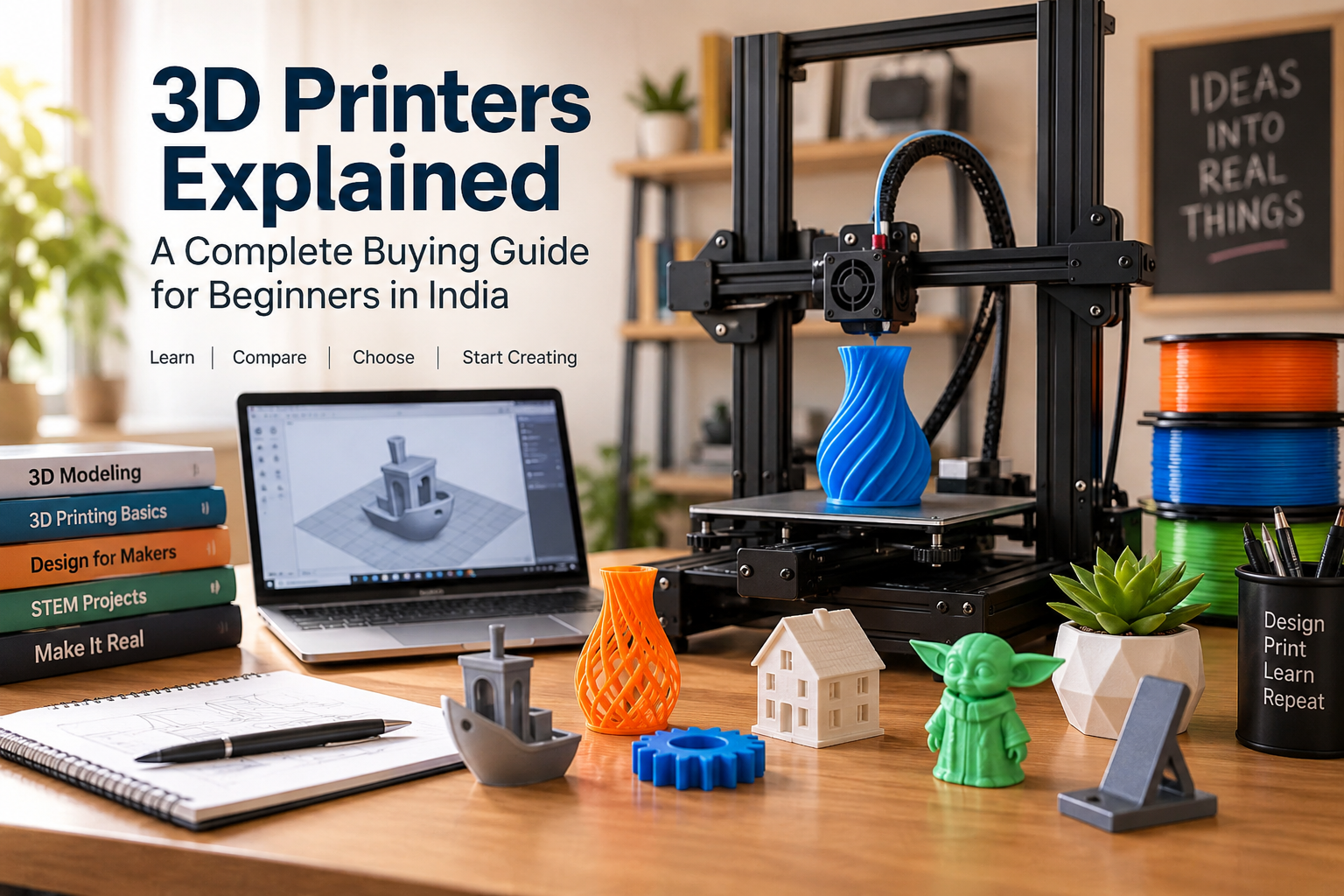
3D printing once sounded like technology reserved for engineering laboratories and large manufacturing companies. Today, desktop 3D printers are accessible enough for students, hobbyists, designers, teachers, engineers, small businesses and even families who want to experiment with making physical objects at home.
A 3D printer can turn a digital design into a real object, one layer at a time. Depending on the printer and material you choose, you can create prototypes, replacement parts, toys, miniature figures, organizers, educational models, decorative objects, engineering components and hundreds of other useful items.
But buying your first 3D printer can be confusing. Terms such as FDM, FFF, SLA, resin, filament, build volume, nozzle size and auto bed levelling quickly appear in product descriptions, and the cheapest printer is not necessarily the best choice for every beginner.
This guide explains how 3D printers work, the main technologies available, what materials they use, what beginners should look for and how to decide whether a 3D printer is actually worth buying.
What Is a 3D Printer?
A 3D printer is a machine that creates three-dimensional physical objects from digital models.
Unlike traditional manufacturing methods that often cut or machine material away from a larger block, 3D printing is an additive manufacturing process. Material is deposited or cured layer by layer until the complete object is formed.
Imagine printing a photograph on paper. A conventional printer places ink across a flat surface.
A 3D printer works differently. Instead of producing one flat image, it repeatedly creates extremely thin layers on top of one another. Eventually those layers form a solid object.
You might print:
- a phone stand
- a cable organizer
- a small toy
- a replacement knob
- a school science model
- a miniature building
- a prototype enclosure
- a custom bracket
- a chess piece
- a plant pot
- an engineering component
- a decorative sculpture
The possibilities depend heavily on the printer technology, material and design.
How Does a 3D Printer Work?
Although different technologies operate differently, most consumer 3D-printing workflows follow the same basic process.
1. Create or download a 3D model
First, you need a digital 3D model.
You can design one yourself using CAD or 3D-modelling software, or download existing models from online 3D-model repositories.
Common file formats include STL, 3MF and OBJ.
2. Prepare the model in slicing software
A 3D printer cannot normally print the raw model directly.
The model is opened in software known as a slicer.
The slicer divides the object into hundreds or thousands of horizontal layers and calculates the movements required to manufacture each layer.
This is also where you typically choose settings such as:
- layer height
- print speed
- support structures
- infill
- material
- temperature
- orientation
3. Send the print job to the printer
Depending on the machine, the sliced file can be transferred using a memory card, USB connection, Wi-Fi, local network or manufacturer application.
4. The printer builds the object
With a filament printer, melted plastic is deposited through a nozzle.
With a resin printer, light selectively cures liquid photopolymer resin.
The machine repeats this process layer after layer until the complete object has been produced.
5. Remove and finish the print
Some prints can be used almost immediately after removal.
Others require additional work.
You may need to:
- remove supports
- trim rough edges
- sand surfaces
- glue components together
- paint the model
Resin prints require additional washing and UV curing before normal handling and use.
The Main Types of 3D Printers
There are several industrial and consumer 3D-printing technologies, but people shopping for a first desktop machine will usually encounter two major categories:
- FDM/FFF filament printers
- Resin printers, including SLA and MSLA
Other technologies such as SLS are important professionally but are far less common as ordinary home 3D printers.
FDM/FFF 3D Printers
FDM stands for Fused Deposition Modeling, while FFF means Fused Filament Fabrication.
Both names generally refer to the familiar type of desktop printer that takes plastic filament from a spool, melts it and pushes it through a nozzle onto a build platform.
The printer moves the nozzle and/or print bed along different axes while depositing the plastic.
Once one layer is complete, the machine moves vertically and deposits another layer.
This continues until the model is finished.
Advantages of FDM/FFF printers
FDM printers make sense for many first-time users because they generally offer:
- relatively straightforward operation
- wide material selection
- larger build areas than many resin printers
- relatively simple cleanup
- large online communities
- inexpensive consumables
- suitability for functional objects
- plenty of beginner-oriented machines
Prusa's buyer guidance similarly notes that FFF printing can be easier for beginners and provides access to a wider range of materials and generally larger build spaces than resin printing.
Limitations of FDM printers
They are not ideal for everything.
Depending on the machine and settings, drawbacks can include:
- visible layer lines
- lower extremely-fine-detail capability than resin
- supports needed for difficult overhangs
- failed prints if adhesion or settings are poor
- potentially long print times
For organizers, brackets, prototypes, household accessories and general hobby printing, however, an FDM machine is often the most logical starting point.
Resin 3D Printers
Resin printers use a photosensitive liquid material instead of plastic filament.
In SLA, MSLA and related systems, light selectively cures liquid resin to form each layer of the object.
Modern desktop resin printers can reproduce very fine details. That makes the technology particularly attractive for applications such as:
- miniature figures
- tabletop gaming models
- jewellery prototypes
- dental applications
- sculptures
- detailed display pieces
Prusa notes that resin systems are commonly used where very fine detail is important, including dentistry, jewellery and board-game miniatures.
Advantages of resin printing
The major appeal is detail.
A good resin print can produce:
- very fine surface details
- small features
- smoother-looking surfaces
- less obvious layer lines
For someone primarily interested in printing miniature characters, resin may therefore make considerably more sense than an inexpensive filament printer.
Disadvantages of resin printing
Resin printing introduces additional handling requirements.
Uncured resin should not be treated like ordinary craft material. Users need to avoid skin exposure and inappropriate inhalation of vapours, and freshly printed parts generally require washing followed by UV curing.
You therefore need to consider:
- workspace
- ventilation
- gloves and appropriate handling
- resin storage
- cleaning
- washing equipment
- curing equipment
- disposal procedures
For these reasons, a resin printer should not automatically be chosen simply because its sample prints appear more detailed.
FDM vs Resin: Which 3D Printer Should You Buy?
|
Factor |
FDM/FFF Printer |
Resin Printer |
|
Material |
Filament |
Liquid photopolymer resin |
|
Beginner friendliness |
Generally easier |
More handling required |
|
Fine detail |
Good |
Excellent |
|
Functional parts |
Very suitable |
Depends strongly on resin |
|
Miniatures |
Good |
Excellent |
|
Cleanup |
Relatively straightforward |
Washing and curing required |
|
Material choice |
Very broad |
Resin-based materials |
|
Typical workspace needs |
Moderate |
More controlled handling advisable |
|
Large objects |
Often more practical |
Usually less attractive |
|
Best suited to |
General-purpose printing |
Highly detailed small models |
Choose FDM if…
You want a general-purpose first 3D printer for:
- learning
- school projects
- home projects
- prototypes
- replacement components
- organizers
- functional parts
- experimentation
Choose resin if…
Your priority is:
- miniatures
- highly detailed figures
- jewellery prototypes
- detailed display models
- very fine surface features
For most beginners who simply want to explore 3D printing, FDM is usually the easier place to start.
What Materials Can a 3D Printer Use?
The answer depends on the printer.
For consumer FDM machines, four names appear frequently: PLA, PETG, ABS and TPU.
PLA
PLA is widely used as a beginner material.
It is generally suitable for:
- decorative objects
- prototypes
- toys
- models
- school projects
- general household prints
For somebody purchasing a first filament printer, PLA is usually the material worth learning first.
PETG
PETG is often selected when users want more durable functional parts.
Its characteristics can include good layer adhesion, water resistance and chemical resistance. Compared with PLA, however, it may require somewhat more tuning and can be more susceptible to stringing.
Typical applications include:
- practical household components
- containers
- brackets
- outdoor-oriented projects
- functional prototypes
ABS
ABS is known for durability and heat resistance.
However, it is less straightforward for beginners because it can warp and produces fumes during printing, making appropriate ventilation important.
An enclosed printer or carefully controlled environment is usually more desirable when ABS is part of your intended workflow.
TPU
TPU is a flexible material.
Instead of producing a completely rigid object, it can be used for items requiring elasticity.
Applications can include:
- flexible covers
- protective components
- grips
- bumpers
- soft mechanical parts
Not every printer handles flexible filament equally well, so check material compatibility before buying a machine specifically for TPU.
What Can You Make With a 3D Printer?
One reason 3D printing is so interesting is that the same machine can serve very different users.
For students
Students can create:
- geometry models
- molecule models
- science-project components
- engineering prototypes
- architectural models
- mechanical demonstrations
Designing the item can also teach CAD, measurement, problem-solving and iterative design.
For engineers and designers
3D printing can dramatically shorten the prototype-development process.
Instead of sending every early design to a manufacturer, a designer can print a prototype, examine it, modify the CAD model and print another version.
This makes desktop printing especially useful for:
- product development
- enclosure design
- mechanical fitting
- ergonomics
- visual prototypes
For hobbyists
Hobbyists can create:
- models
- cosplay components
- remote-control accessories
- figurines
- gaming accessories
- organizers
- decorations
For the home
Practical designs can include:
- hooks
- drawer dividers
- stands
- clips
- brackets
- cable holders
- tool organizers
- replacement knobs
However, a printed part should not automatically be assumed safe for every structural, electrical, food-contact or high-temperature application.
For small businesses
3D printers may be useful for:
- prototype development
- customized products
- personalized gifts
- low-volume manufacturing
- model making
- replacement components
- jigs and fixtures
The business opportunity is real, but buying a printer does not automatically create a profitable 3D-printing business. Design skill, demand, material cost, machine utilization, failed prints, labour, finishing and competition all matter.
10 Things to Look for When Buying a 3D Printer
Choosing the printer itself is where many beginners become overwhelmed.
Instead of chasing whichever model advertises the highest speed, compare machines around the type of work you actually intend to produce.
1. Printing technology
Start with the most important decision:
Filament or resin?
For general household and hobby use, start your search with FDM.
For extremely detailed miniatures, investigate resin.
This one decision eliminates a large part of the market immediately.
2. Build volume
Build volume tells you approximately how large an object the printer can produce in one piece.
It is usually expressed as three dimensions:
width × depth × height
A larger build volume is useful if you want to produce:
- helmets
- large prototypes
- big models
- sizeable organizers
But bigger is not automatically better.
A large printer can occupy considerably more space, and many everyday objects fit comfortably on medium-sized machines.
Choose based on what you expect to print rather than buying the largest specification available.
3. Automatic bed levelling
The first layer is extremely important in filament printing.
If the distance between the nozzle and bed is wrong, prints may fail to adhere correctly.
Modern printers increasingly include automatic or assisted bed-levelling systems.
For a beginner, good automatic calibration can significantly reduce setup frustration.
4. Print speed
Manufacturers frequently advertise impressive maximum speeds.
Do not compare machines only by this figure.
Actual printing performance also depends on:
- acceleration
- material
- model complexity
- layer height
- cooling
- quality settings
- motion system
A theoretically fast machine is not useful if achieving that speed compromises the quality you need.
5. Print quality
Resolution and layer height matter, but specifications do not tell the entire story.
Mechanical stability, calibration, extrusion consistency, firmware and slicing profiles all contribute.
For most buyers, a printer that produces consistent results with good default settings is more useful than one offering impressive technical numbers but requiring endless adjustment.
6. Ease of setup
Older hobby printers often required substantial manual assembly and calibration.
Modern beginner-focused machines can be considerably easier to start using.
Look for features such as:
- partial pre-assembly
- automatic calibration
- clear setup instructions
- reliable preset profiles
- filament loading assistance
If your goal is making objects rather than constantly modifying the machine itself, ease of setup deserves considerable weight.
7. Material compatibility
Do not simply ask, "Can this printer print plastic?"
Ask which plastics.
For example, if you eventually want to print flexible TPU or engineering materials, check whether the printer's:
- extruder
- nozzle
- hot end
- heated bed
- enclosure
are appropriate for those materials.
8. Software
A good printer is only one part of the experience.
You also need slicing software.
Popular slicers provide controls for:
- orientation
- layer height
- infill
- supports
- material
- temperature
- speed
Beginner-friendly presets can make the first few months considerably easier.
9. Spare parts and community support
This factor is easy to overlook.
A 3D printer is a mechanical machine. Nozzles, build surfaces and other components may eventually require cleaning, maintenance or replacement.
Before buying, consider:
- availability of spare parts in India
- local seller support
- warranty arrangements
- documentation
- tutorials
- user communities
Popular ecosystems can be easier to troubleshoot because other users may already have encountered the same problem.
10. Total ownership cost
The purchase price is not the complete cost of 3D printing.
Allow for:
- filament or resin
- replacement nozzles
- build surfaces
- tools
- failed prints
- electricity
- maintenance
- resin cleaning materials
- resin washing/curing equipment where applicable
A printer costing slightly more but wasting less material and requiring less troubleshooting could ultimately represent better value.
How Much Does a 3D Printer Cost in India?
Prices vary considerably according to technology, build volume, automation and intended user.
As of August–September 2026, current Indian-market guides show beginner-oriented FDM printers around or below the ₹20,000 region, while more automated or higher-end consumer machines cost considerably more. Because retail pricing changes frequently, buyers should treat published figures as snapshots rather than permanent prices.
A useful way to think about the market is:
|
Category |
Typical Buyer |
|
Budget |
Beginners and students |
|
Mid-range |
Regular hobbyists and makers |
|
Premium desktop |
Enthusiasts and professionals |
|
Professional/industrial |
Businesses and production environments |
Instead of buying according to the lowest advertised price, determine which features will actually reduce friction for you.
For a beginner, paying extra for better calibration, reliable software and dependable support can sometimes be more valuable than paying for maximum build volume or theoretical speed.
Should a Beginner Buy a Cheap 3D Printer?
Possibly—but understand the trade-off.
A budget printer can be an excellent learning machine.
It can teach you:
- bed adhesion
- nozzle behaviour
- filament properties
- mechanical calibration
- slicing
- troubleshooting
Some people enjoy that process.
Others simply want to design an object, press print and receive a usable result.
Those users may be happier spending more on automation.
Therefore the better question is not:
"What is the cheapest 3D printer?"
It is:
"How much troubleshooting do I want to do?"
That distinction can completely change the right purchase.
Cartesian vs CoreXY 3D Printers
While shopping for filament machines, you may see terms such as Cartesian and CoreXY.
These describe the motion system.
Traditional Cartesian printers move components along the X, Y and Z axes. Many desktop machines use this arrangement because it is widespread, comparatively inexpensive and well understood.
CoreXY machines use a different belt arrangement for XY movement and are popular among many modern performance-oriented desktop printers.
For a first-time buyer, however, the motion-system name should not dominate the decision.
Reliability, automation, software, support, print quality and suitability for your intended materials generally matter more.
What Is Infill in 3D Printing?
A printed model does not always need to be completely solid.
The slicer can create an internal pattern known as infill.
Lower infill can:
- reduce material usage
- reduce print time
- reduce weight
Higher infill may be appropriate when greater internal support is useful.
However, simply increasing infill to 100% does not automatically create the strongest possible component. Wall thickness, orientation, material and design can be equally or more important.
What Are Supports?
3D printers build objects layer by layer.
When part of a model extends outward without enough material underneath it, temporary support structures may be required.
After printing, these structures are removed.
Poor support planning can result in:
- ugly undersides
- difficult removal
- wasted material
- surface marks
Better orientation can sometimes dramatically reduce the amount of support material needed.
Learning how to position a model on the build plate is therefore an important 3D-printing skill.
What Is Layer Height?
Layer height refers to the thickness of each printed layer.
Smaller layers generally produce smoother curves and finer vertical detail, but they also increase the number of layers required.
That usually means longer print times.
Larger layers print faster but may make the layer structure more visible.
There is therefore no single "best" layer height.
Choose according to whether your priority is:
- speed
- appearance
- detail
- functional performance
Do You Need to Know 3D Design?
No.
A beginner can start by downloading ready-made models.
But learning basic CAD dramatically expands what a 3D printer can do.
Once you can design your own parts, you can stop asking:
"What can I download?"
and start asking:
"What problem can I solve?"
That is where a 3D printer becomes particularly useful.
For example, instead of searching for a replacement clip that no longer exists, you can measure the broken component, recreate it in CAD, make adjustments and print your own version.
Is 3D Printing Expensive to Run?
It depends on what and how often you print.
A small object may consume little filament, while a large or dense object can use considerably more.
Your cost includes more than raw material:
Actual print cost = material + electricity + failed prints + maintenance + finishing + your time
For commercial work, you also need to consider:
- design time
- machine depreciation
- packing
- shipping
- platform fees
- rejected prints
- post-processing
This is why simply calculating filament weight is not enough when deciding what to charge customers.
Common Mistakes First-Time 3D-Printer Buyers Make
Buying based only on maximum speed
The highest number on a specification sheet does not guarantee the best real-world experience.
Buying a resin printer because the sample images look better
Resin is excellent for detail, but its handling and post-processing requirements are very different from filament printing.
Buying the biggest printer possible
Large machines need more room and are unnecessary for many ordinary projects.
Ignoring software
A strong hardware experience can be undermined by poor slicing profiles or complicated software.
Ignoring local spare parts
Easy access to consumables and replacement components matters over several years of ownership.
Expecting completely effortless printing
Automation has improved enormously, but 3D printing remains a manufacturing process.
You will eventually encounter:
- failed adhesion
- support problems
- filament issues
- clogged nozzles
- imperfect models
- calibration questions
Troubleshooting is part of the hobby.
Assuming every downloadable model is safe to sell
A model being downloadable does not automatically give you commercial rights to manufacture and sell copies.
Check the creator's licence before using designs commercially.
Is a 3D Printer Safe to Use at Home?
A 3D printer should be treated as a machine rather than a toy.
Filament printers include hot components and moving mechanisms.
Resin printing requires even more careful handling because uncured photopolymer resin should not contact skin and the process requires appropriate handling, washing and curing.
Good practice includes:
- following the manufacturer's instructions
- keeping printers away from very young children
- avoiding contact with hot nozzles and heated beds
- providing appropriate ventilation
- storing materials properly
- following resin safety guidance
- not leaving a machine operating in an unsuitable environment
- inspecting electrical and mechanical components periodically
For schools and homes with children, adult supervision and a properly planned workspace are particularly important.
Can Children Use a 3D Printer?
3D printing can be an excellent STEM activity.
It combines:
- mathematics
- geometry
- engineering
- art
- design
- computer skills
- problem solving
But a 3D printer should not be treated like an ordinary paper printer.
Hot surfaces, moving components and—for resin machines—chemical handling mean that younger users should work under appropriate adult supervision.
For education, a beginner-friendly filament printer is generally a more natural starting point than an open resin-handling workflow.
Can You Make Money With a 3D Printer?
Yes, but the printer itself is not the business.
Potential 3D-printing businesses include:
- custom gifts
- nameplates
- architectural models
- engineering prototypes
- educational models
- cosplay accessories
- organizers
- replacement components
- manufacturing fixtures
- printing services
Successful sellers still need to solve ordinary business problems:
- What does the customer need?
- Who owns the design?
- What is the production cost?
- How long does each job occupy the printer?
- What happens when a print fails?
- How much finishing is required?
- How will the product be marketed?
- How will it be shipped?
The strongest business opportunity usually comes from solving a specific problem rather than printing random objects and hoping someone buys them.
Who Should Buy a 3D Printer?
A 3D printer may be a worthwhile purchase if you:
- enjoy making things
- want to learn CAD
- frequently build prototypes
- study engineering or design
- have a specific hobby requiring custom components
- want to teach STEM concepts
- need custom organizers or parts
- operate a business that could benefit from rapid prototyping
- enjoy experimenting with technology
You may want to wait if you:
- expect every print to work without learning anything
- have no suitable place for the printer
- dislike troubleshooting mechanical equipment
- only need one or two printed objects
- are buying purely because the technology looks interesting
If you only need an occasional part, paying a 3D-printing service may make more sense than owning a printer.
Which Type of 3D Printer Is Best for Beginners?
For most people starting from zero, an automated FDM/FFF filament printer using PLA is the most sensible entry point.
Prioritize:
- reliable automatic calibration
- easy filament loading
- good manufacturer or community support
- readily available spare parts
- sensible build volume
- dependable slicer profiles
- straightforward setup
For buyers whose primary goal is extremely detailed miniatures, a resin printer deserves consideration—but only after understanding its additional handling and post-processing requirements.
Frequently Asked Questions About 3D Printers
What does a 3D printer actually do?
A 3D printer converts a digital 3D model into a physical object by building it layer by layer using materials such as thermoplastic filament or photopolymer resin.
Is 3D printing difficult for beginners?
Basic printing has become much easier, particularly on machines with automatic calibration and well-developed software. However, users should still expect to learn about materials, slicing, model orientation and occasional troubleshooting.
Should I buy an FDM or resin printer?
Buy FDM for general-purpose printing, larger functional objects and a simpler first experience. Consider resin when extremely fine detail, particularly on small models or miniatures, is the priority.
What is the best filament for beginners?
PLA is generally the easiest starting material for ordinary FDM printing.
Can I print anything I want?
You can print any compatible digital design that fits within your printer's capabilities, but engineering limitations, material properties, safety considerations and intellectual-property rights still apply.
Do 3D printers use a lot of electricity?
Power consumption varies by model, bed temperature, hot-end temperature and print duration. Electricity is only one component of overall running cost; material usage and failed prints can also be important.
How long does a 3D print take?
Anything from minutes to many hours or even days. Print time depends on the object's dimensions, layer height, speed, infill, support requirements and printer.
Can a 3D printer make metal objects?
Ordinary consumer FDM machines primarily work with polymers. Industrial metal 3D-printing systems exist, but they belong to a very different equipment and cost category.
Do I need a powerful computer for 3D printing?
Usually not for basic slicing. More complex CAD and modelling work can benefit from stronger hardware, but ordinary printer operation does not generally require a high-end computer.
Is buying a 3D printer worth it?
It can be excellent value for makers, designers, students and people who regularly need customized parts. It is less compelling if you have no regular use for printed objects and do not want to learn the workflow.
Final Verdict: Is a 3D Printer Worth Buying?
A 3D printer is one of the few consumer technologies that allows you to move directly from an idea on a computer screen to an object you can hold.
That makes it more than a gadget.
For a student, it can be a learning tool.
For an engineer, it can be a prototyping machine.
For a hobbyist, it can become part of the creative process.
For a small business, it can enable customized products and rapid development.
And for somebody who simply enjoys building things, it can become an absorbing hobby.
The key is choosing according to what you want to make, not according to whichever printer has the longest specification list.
For most first-time users, a well-supported FDM printer with automatic calibration and good PLA compatibility is the safest place to begin. Buyers focused primarily on miniatures and exceptionally fine detail should investigate resin printing instead.
Before purchasing, compare the complete experience: printer cost, materials, software, spare parts, workspace, maintenance and support.
The best first 3D printer is not necessarily the fastest or most expensive one.
It is the machine that lets you spend more time making things and less time fighting the printer.