GaN vs Normal Chargers: Which Should You Buy?
8 September 2026 · Media Pitch Product Expert
GaN chargers promise more power in a smaller package, but wattage isn't the whole story. Here's how to choose one charger for your phone, tablet and laptop.
★★★★★
Best for: People carrying a phone, tablet, laptop,
earbuds or other USB-C devices
Why this category stands out: A sufficiently powerful multi-port GaN charger can potentially replace
several separate charging bricks while taking up considerably less space.
Affiliate Disclosure: This article contains affiliate links. If you purchase through one of these links, we may earn a commission at no additional cost to you. As an Amazon Associate, we earn from qualifying purchases.
Look inside a typical travel bag and there is a good chance you'll find more chargers than you expected.
One for the phone.
Another for the laptop.
Perhaps another for the tablet, smartwatch or earbuds.
Then there are the cables.
This is the problem GaN USB-C chargers are trying to solve.
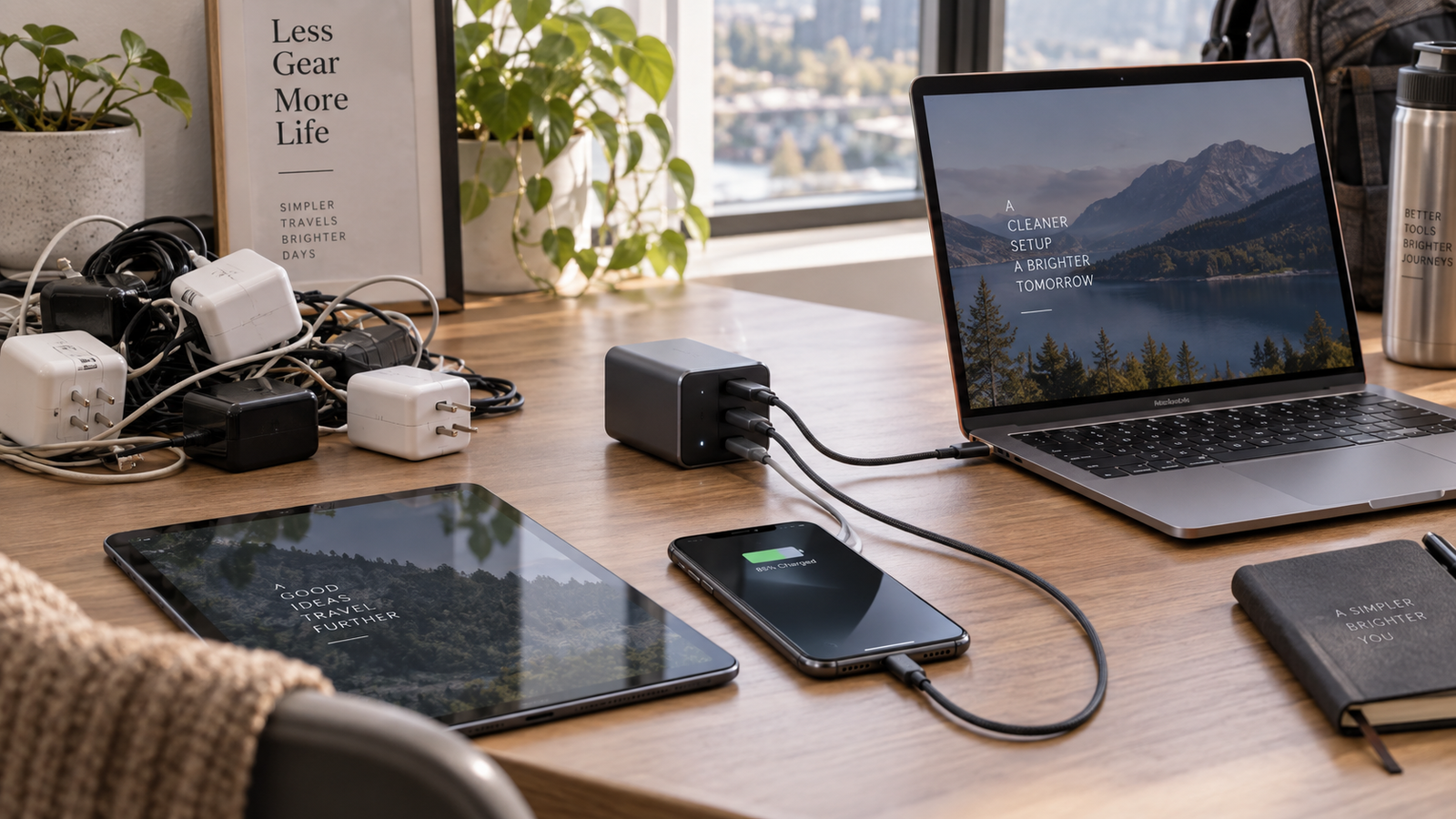
Instead of carrying several separate power adapters, a sufficiently powerful multi-port charger can potentially handle several of your everyday devices from one wall socket.
And unlike some technology upgrades, the benefit is remarkably easy to understand:
fewer chargers → less clutter → less to carry.
But there is an important catch.
Buying a charger simply because the listing says “GaN 100W” does not guarantee that it will fast-charge every device you own.
So, are GaN chargers actually worth paying for?
For the right person, absolutely.
But compatibility matters considerably more than the GaN badge.
What Exactly Is a GaN Charger?
GaN stands for gallium nitride.
It is a semiconductor material increasingly used in power electronics instead of conventional silicon in parts of a charger.
GaN devices can switch electricity at higher frequencies with relatively low losses, allowing charger designers to build power supplies with greater power density. In practical terms, that can mean smaller and lighter chargers at a given power level. Both Texas Instruments and Infineon describe GaN as enabling more compact, efficient high-power designs compared with conventional silicon solutions.
That is the real appeal.
A GaN charger isn't magic.
It is a way of fitting substantial charging capability into a relatively compact adapter.
Does GaN Automatically Mean Faster Charging?
No.
This is probably the most important thing to understand before buying one.
GaN technology can help manufacturers build smaller, efficient, high-power chargers, but GaN itself does not determine your phone's charging speed.
Charging speed depends on factors including:
- the maximum power your device accepts;
- the charging protocol it supports;
- the charger's supported protocols;
- the port you're using;
- the cable;
- whether other devices are connected;
- battery level and temperature.
Infineon itself makes the distinction clear: a 100W GaN charger does not inherently charge a device faster than a properly designed 100W silicon charger delivering the same compatible power.
So don't buy a charger because:
“GaN = faster.”
Buy it because:
“GaN can make a powerful multi-device charger much more compact.”
Why USB-C Changes the Equation
The reason one charger can increasingly replace several is not GaN alone.
It is the combination of GaN + USB-C + USB Power Delivery.
USB Power Delivery, commonly shortened to USB PD, allows compatible devices and chargers to negotiate how much power should be supplied.
The current USB PD specification supports power levels all the way up to 240W over appropriately designed USB-C systems.
That does not mean your phone suddenly receives 240W.
The charger and connected device negotiate a supported power level.
This is why one high-power USB-C charger can potentially be used with very different devices—from earbuds and phones to tablets and USB-C laptops.
Can One GaN Charger Really Replace Three Chargers?
For some households, yes.
Imagine you regularly carry:
- a USB-C phone;
- a USB-C tablet;
- a USB-C laptop.
Previously, each may have had its own adapter.
A multi-port 65W, 100W or higher-output USB-C charger may be able to cover all three, assuming its protocols, port configuration and power allocation suit those devices.
That is the attraction.
Instead of:
phone charger + tablet charger + laptop charger
you travel with:
one charger + several cables.
For frequent travellers, office workers and people moving between home and work, this can be a surprisingly useful upgrade.
But There Is a Catch: 100W Doesn't Always Mean 100W Per Port
This catches a lot of first-time buyers.
Suppose a charger is advertised as:
100W 3-Port GaN Charger
It does not necessarily mean all three ports can each deliver 100W simultaneously.
Often, 100W represents either:
- the maximum available from one particular port; or
- the charger's total power budget.
Once several devices are connected, that power has to be distributed.
Samsung's own 65W three-port adapter, for example, can deliver up to 65W when a compatible device is connected by itself, but Samsung specifies a different allocation—35W + 25W + 5W—when three devices are charged simultaneously.
Google likewise publishes separate single-device and multi-device power behaviour for its dual-port charger.
This means the most important table on an Amazon listing may be the tiny power-allocation diagram.
Look for something like:
|
Devices connected |
Example behaviour |
|
One USB-C device |
Maximum power available |
|
Two USB-C devices |
Power divided between ports |
|
Three devices |
Further redistribution |
The exact numbers depend entirely on the charger.
Never assume.
What Wattage GaN Charger Should You Buy?
There's no universally correct number, but these are useful starting points.
30W–45W: Best for phone-first users
Consider this range if your main devices are:
- smartphones;
- earbuds;
- smartwatches;
- smaller tablets;
- other low-to-moderate-power USB-C devices.
For example, Apple says compatible iPhones can fast-charge using suitable USB-C Power Delivery adapters, while its current guidance specifies different adapter wattages depending on iPhone generation and desired charging performance.
A 30W–45W charger can therefore be a compact choice if you don't need to power a laptop.
Around 65W: The useful middle ground
This is where GaN becomes particularly interesting.
A good 65W USB-C charger may suit buyers who want:
- one charger for a phone and USB-C laptop;
- a compact work-bag charger;
- something more powerful than a phone adapter without moving into a large desktop charger.
But check your laptop.
Some USB-C laptops are comfortable with this range; more power-hungry machines may expect substantially more.
The laptop manufacturer's charging specification should always win over a generic recommendation.
100W–140W: Better for laptop + multiple-device users
This range becomes more attractive when you regularly charge:
- a laptop;
- phone;
- tablet;
- accessories;
from the same adapter.
The additional power budget can make simultaneous charging more practical.
But again:
100W total isn't automatically 100W + 100W.
Check how the particular charger distributes power when multiple ports are occupied.
Above 140W: Specialist territory for many buyers
USB Power Delivery can now support up to 240W, meaning USB-C has expanded into much higher-power applications than older USB charging systems could handle.
However, buying the highest wattage available simply because the number is bigger is usually unnecessary.
Unless one of your devices actually requires very high USB-C power—or you want substantial multi-device capacity—you may simply be paying extra for capacity you won't use.
The Other Three Letters to Know: PPS
You may see:
PD + PPS
on charger listings.
PPS stands for Programmable Power Supply.
It is part of the USB Power Delivery ecosystem and allows compatible devices and chargers to adjust voltage and current more dynamically during charging. USB-IF's certified fast-charging programme incorporates PPS support.
This is particularly relevant for some Android devices.
Google, for example, recommends compatible PPS adapters for Pixel fast charging, while Samsung's 45W adapter supports USB PD 3.0 PDO/PPS for compatible Galaxy devices.
Practical buying rule
If you use a phone that specifies USB PD PPS for its faster charging modes, look for a charger that explicitly supports PPS.
Don't assume every USB-C charger does.
Samsung Users Should Pay Particular Attention
Samsung provides an excellent example of why wattage alone can mislead buyers.
Its 45W charger supports PD 3.0 PDO/PPS, and Samsung states that its Super Fast Charging 2.0 functionality depends on compatible devices, charging protocols and appropriate cabling.
So buying a random charger labelled:
45W FAST CHARGER
does not automatically mean you will receive the same charging mode.
Look for the protocol.
And What About OnePlus, OPPO and Realme?
This is another important issue for Indian buyers.
Not every extremely high phone-charging number you see is based purely on standard USB Power Delivery.
Manufacturers including OPPO and realme continue to sell devices and accessories using their own SUPERVOOC charging ecosystem. OPPO's current India accessory range, for example, includes 80W and 100W SUPERVOOC adapters, while realme lists 45W and 80W SUPERVOOC chargers.
That means a generic 100W USB PD GaN charger may charge the phone perfectly well but may not reproduce the manufacturer's maximum proprietary fast-charging mode.
Before replacing your original phone charger, check:
What protocol does my phone require for its maximum advertised charging speed?
This one question can prevent a disappointing purchase.
Your USB-C Cable Matters Too
People often spend ₹₹₹ on the charger and then connect it with whatever USB-C cable happens to be lying in a drawer.
That can defeat the point.
USB-IF's current certified USB-C cable labelling distinguishes 60W and 240W power capabilities.
And certain higher-power systems specifically require suitable higher-current cables. Samsung, for example, specifies a 5A cable for some of its higher-power charging modes.
So when buying a high-output charger, check both:
charger capability + cable capability
A 100W or 140W charger isn't very useful if the cable prevents your device from accessing the required power.
One Charger for iPhone, Android and Laptop?
This is where USB-C PD becomes genuinely useful.
Apple explicitly supports charging compatible iPhones using USB-C power adapters that comply with USB Power Delivery.
Google recommends USB PD and PPS chargers for current Pixel devices.
Samsung likewise uses USB Power Delivery for its Super Fast Charging ecosystem on compatible devices.
Many laptops also charge through USB-C PD.
So yes, one correctly chosen USB-C charger can potentially serve devices from several manufacturers.
But don't confuse:
USB-C connector compatibility
with
maximum fast-charging compatibility.
A device can fit the port and charge perfectly well while still not reaching its fastest possible charging mode.
Six Things to Check Before Buying a GaN Charger
1. Total Wattage
Start with the highest-power device you intend to charge.
If your laptop requires more power than the charger can provide, the entire “one charger instead of three” concept falls apart.
2. USB Power Delivery Support
For broad USB-C compatibility, look for explicit USB PD support rather than relying purely on phrases such as:
- rapid charge;
- turbo charging;
- ultra-fast;
- super power.
Those are marketing terms unless tied to a documented protocol.
3. PPS Support
Particularly relevant for some Samsung and Pixel devices.
If you need it, verify that the charger lists it.
4. Number and Type of Ports
You might find combinations such as:
- 1 × USB-C;
- 2 × USB-C;
- 2 × USB-C + USB-A;
- 3 or 4 USB-C ports.
Don't automatically buy the model with the most ports.
Ask how many devices you actually charge simultaneously.
Two good USB-C ports may be more useful than four ports with complicated compromises.
5. Multi-Port Power Allocation
This deserves its own check.
If a 100W charger drops the laptop port substantially when you connect your phone, you need to know before purchasing.
Look for the manufacturer's exact power-sharing table.
6. The Cable
Check:
- whether one is included;
- maximum supported power;
- length;
- USB-C to USB-C vs other connectors;
- whether your device requires a particular cable for maximum charging.
The charger is only half of the system.
What About Safety?
Chargers deal directly with mains electricity and expensive electronics.
This is not the category where I would choose the cheapest anonymous product solely because its Amazon listing promises an enormous wattage.
Look for:
- a reputable manufacturer;
- clearly documented input and output specifications;
- over-voltage protection;
- over-current protection;
- short-circuit protection;
- thermal protection;
- appropriate Indian regulatory markings where applicable;
- credible warranty/support;
- standards compliance.
USB-IF maintains a public database of products that have passed its compliance programme and are certified to use USB-IF logos.
That doesn't mean every good charger must appear in one particular database, but genuine standards certification is considerably more meaningful than a vague “safe charging technology” claim.
Does a GaN Charger Stay Completely Cool?
No.
A high-power charger can still become warm.
GaN can improve efficiency and power density, but converting substantial electrical power in a compact enclosure still produces heat.
So I would be suspicious of marketing that implies:
“GaN chargers don't get hot.”
A better description is:
GaN technology allows designers to manage high power more efficiently and compactly than traditional approaches.
Warmth during charging is not automatically a defect.
Excessive heat, instability or unexplained shutdowns are another matter.
The Best Use Case: Travel
This might be where the entire category makes the most sense.
Suppose you're travelling with:
Laptop
Phone
Tablet
Earbuds
Power bank
The old approach could require several wall adapters.
With a well-chosen multi-port GaN charger, the packing list potentially becomes:
one adapter + the cables you actually need.
That means:
- fewer bulky charging bricks;
- fewer sockets required in hotel rooms;
- easier packing;
- less chance of forgetting a particular adapter.
It doesn't make travelling glamorous.
It simply removes one irritating little problem.
And those are often the accessories worth buying.
Another Good Use Case: Your Desk
The same idea applies at home.
A multi-port charger beside a desk can potentially power:
- laptop;
- phone;
- headphones;
- tablet;
- power bank.
Instead of several adapters occupying a power strip, you consolidate charging into one location.
For people building a clean desk or home-office setup, that alone may justify the purchase.
Who Should Buy a GaN Charger?
Frequent travellers
Probably the strongest use case.
Replacing several chargers with one compact adapter can meaningfully simplify your bag.
People with USB-C laptops
Once your laptop joins your phone and tablet in the USB-C ecosystem, charger consolidation becomes much more practical.
Multi-device households
Phone + tablet + earbuds + power bank can quickly create charger clutter.
Office workers
Keeping one sufficiently powerful charger in your work bag may save you from repeatedly carrying your laptop's original adapter.
People replacing an old charger anyway
If you're already buying a new charger, moving to a well-specified USB-C GaN model may make more sense than buying another single-device adapter.
Who Probably Doesn't Need One?
If you own:
- one phone;
- its existing charger works perfectly;
- you rarely travel;
- you don't charge multiple devices;
then a premium multi-port GaN charger may solve a problem you don't actually have.
Likewise, if your phone depends on a proprietary charging system and maximum charging speed is your top priority, its manufacturer's own adapter may remain the better option.
Don't upgrade purely because GaN sounds newer.
The Biggest Buying Mistake: More Watts Must Be Better
It isn't.
Imagine your device only accepts 30W through USB PD.
Buying a 140W charger does not force 140W into it.
USB Power Delivery allows compatible equipment to negotiate an appropriate power level.
The additional capacity may still be useful for:
- laptops;
- future devices;
- multi-port charging.
But it doesn't magically turn a 30W device into a 140W one.
Buy enough power for your devices—not the biggest number on Amazon.
GaN vs Normal Charger: Which Should You Buy?
|
Factor |
GaN Charger |
Conventional Charger |
|
Potential size at high wattage |
Usually more compact |
Can be larger |
|
High-power designs |
Excellent fit |
Also possible |
|
Multi-port designs |
Common |
Available |
|
Charging speed |
Depends on protocol and wattage |
Depends on protocol and wattage |
|
USB PD support |
Model-dependent |
Model-dependent |
|
PPS support |
Model-dependent |
Model-dependent |
|
Price |
Can cost more |
Often cheaper |
|
Best reason to buy |
Compact high-power charging |
Simple, inexpensive charging |
The takeaway is important:
GaN is an advantage in charger design, not a charging protocol.
You still need to check PD, PPS, wattage and compatibility.
Why We Give GaN / USB-C Fast Chargers ★★★★★
This category earns five stars because the problem is increasingly obvious.
More devices now charge through USB-C, while USB Power Delivery can accommodate everything from relatively low-power electronics to much higher-power devices.
That creates the possibility of replacing several chargers with one.
A good GaN charger can deliver:
- less charger clutter;
- easier travel;
- several charging ports;
- enough power for phones, tablets and certain laptops;
- greater flexibility as your device collection changes.
The limitation?
You have to understand what you're buying.
A charger can have:
GaN + 100W + three ports
and still be the wrong charger for your particular phone or laptop.
The Verdict: Are GaN Chargers Worth It?
Yes—if you're replacing multiple chargers rather than simply replacing one charger with a more expensive one.
That is where the category becomes compelling.
If your everyday setup looks like:
phone + laptop + tablet + accessories,
a multi-port GaN charger may be one of the simplest ways to reduce the amount of charging hardware you carry.
But forget the GaN badge for a moment.
Before buying, check:
device requirements → USB PD → PPS/proprietary protocols → wattage → number of ports → simultaneous power allocation → cable.
Get those right and the result can genuinely be:
one charger instead of three.
→ View GaN USB-C Fast Chargers on Amazon
Amazon prices, specifications and availability change regularly. Verify charger protocols, port output, cable requirements and compatibility with your devices before purchasing.
Frequently Asked Questions
What is a GaN charger?
A GaN charger uses gallium-nitride semiconductor technology in its power-conversion circuitry. GaN can enable smaller, lighter and higher-power-density charger designs compared with conventional silicon technology.
Are GaN chargers faster than normal chargers?
Not automatically. Charging speed depends on the power level and charging protocols supported by both the charger and device. GaN primarily helps manufacturers make high-power chargers more compact and efficient.
Is a 65W GaN charger enough?
It depends on your devices. Around 65W can be useful for many phone, tablet and USB-C laptop combinations, but check the laptop manufacturer's required charging wattage before buying.
Can I use a 100W charger with a phone that only needs 20W or 30W?
With properly compliant USB Power Delivery equipment, the connected devices negotiate their supported power rather than the charger simply forcing its maximum rated wattage into the phone.
What is PPS charging?
PPS, or Programmable Power Supply, is part of the USB Power Delivery ecosystem and allows compatible chargers and devices to adjust voltage and current dynamically. It is relevant to fast charging on certain Android devices.
Does a 100W multi-port charger give 100W from every port?
Usually not. Power output can change when several devices are connected. Always check the manufacturer's port-allocation chart rather than relying only on the charger's headline wattage.
Do I need a special USB-C cable for fast charging?
Potentially. The cable must support the power level and charging configuration you require. USB-IF currently distinguishes certified USB-C cables with 60W and 240W power ratings.
Will a GaN charger fast-charge every Android phone?
Not necessarily at the phone's maximum advertised speed. Some manufacturers use proprietary fast-charging technologies in addition to standard USB PD, so check the particular phone's protocol requirements.