Indoor Wi-Fi Security Cameras: A Small Camera for People Who Worry About an Empty Home
8 September 2026 · Media Pitch Product Expert
An indoor Wi-Fi security camera can help you check an empty home from your phone. Here’s what to look for, from motion alerts and night vision to privacy, storage and subscription costs.
You lock the door. Check it once. Then check it again.
A few minutes after leaving home, the questions begin.
Did I close the balcony door?
What was that notification?
Is the house actually empty?
Did someone come in?
Is the pet all right?
For people who regularly leave their home unattended while they work, travel, shop or visit family, an indoor Wi-Fi security camera can provide something surprisingly valuable: the ability to look inside the house without being there.
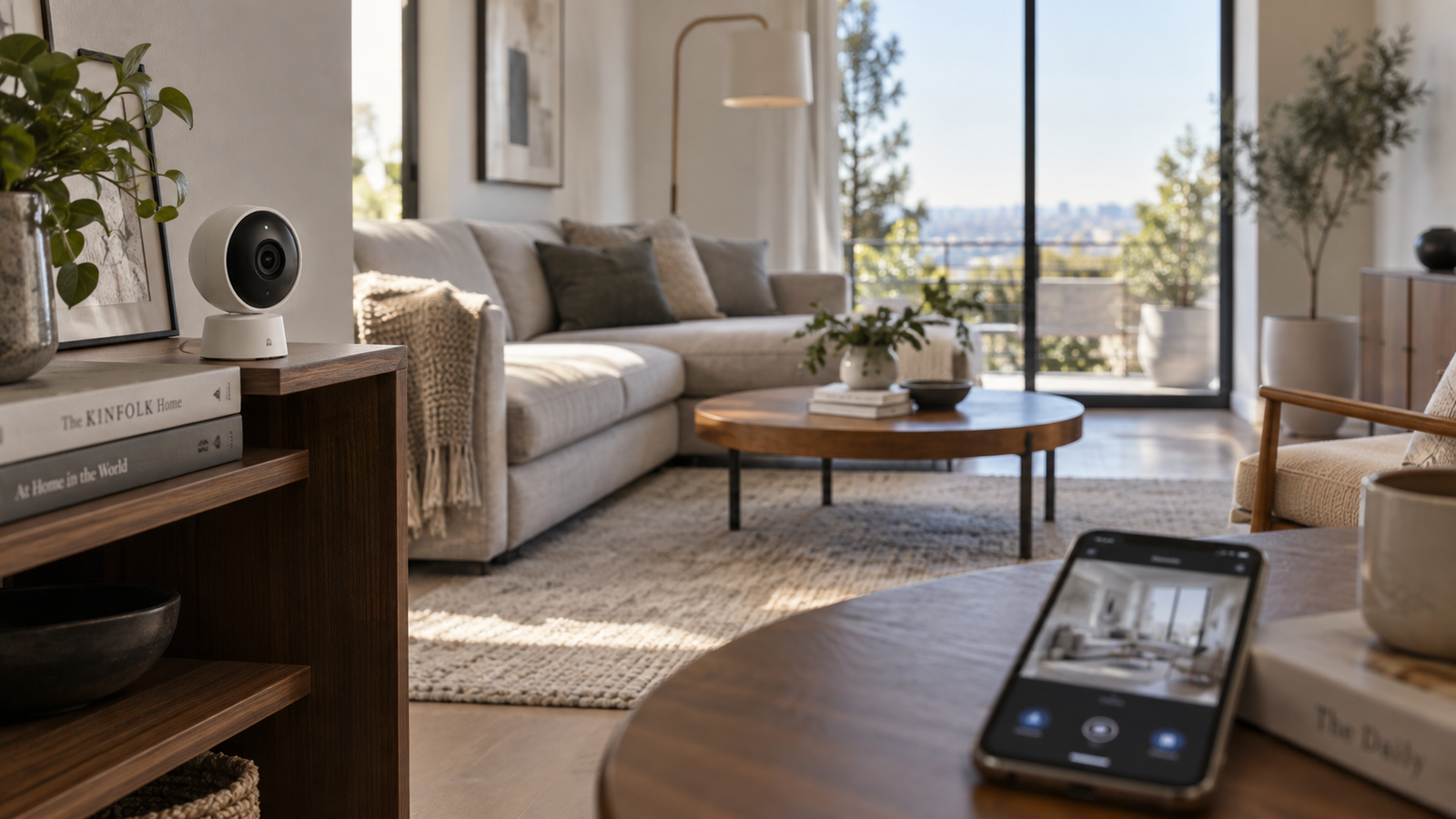
These cameras are becoming a natural part of the smart-home setup. They connect to your home Wi-Fi network and, depending on the model and configuration, can let you check a live view, receive movement alerts, communicate through two-way audio and review recorded footage.
They are not a replacement for good locks, sensible home security or an alarm system. But for many households, a small indoor camera can make an empty home feel considerably less unknown.
Affiliate Disclosure: This article contains affiliate links. If you purchase through one of these links, we may earn a commission at no additional cost to you. As an Amazon Associate, we earn from qualifying purchases.
Why Indoor Wi-Fi Cameras Make Sense for an Empty Home
The biggest advantage is not necessarily recording everything that happens.
It is being able to answer a simple question:
“What is happening at home right now?”
Instead of worrying about every unexpected sound, delayed family member or unexplained notification, you can open the camera's app and check.
That makes indoor Wi-Fi cameras particularly useful for:
- people who work away from home all day;
- frequent travellers;
- people living alone;
- families who leave pets at home;
- people who want to monitor entrances or common areas;
- households with domestic staff or service visits;
- renters who want security without installing a complicated wired system.
The use case is simple: place the camera in an appropriate indoor location, connect it to Wi-Fi, configure its alerts and use your phone when you need to check your home.
What Can an Indoor Wi-Fi Security Camera Actually Do?
Features vary significantly between models, so individual specifications should always be checked before buying. However, several capabilities are common in this category.
Live View
A live-view function lets you open the associated mobile app and see what the camera can currently see.
For many buyers, this alone is the reason to own one.
If you are away for the weekend and suddenly wonder whether everything is normal at home, you do not necessarily need a full professional surveillance system. You may simply want a quick look at the room.
Motion Alerts
Many cameras can send a notification after detecting movement.
The usefulness of this feature depends heavily on how well the camera and app handle alerts. A camera that sends constant unnecessary notifications may quickly become annoying.
When comparing models, therefore, do not look only for the words “motion detection.” Look at what control you have over it.
Can you adjust sensitivity?
Can you select detection areas?
Can alerts be scheduled?
Can certain types of notifications be disabled?
Those details can matter more in everyday use.
Night Viewing
An empty home is not empty only during daylight hours.
Night-vision capability can therefore be important, particularly if the camera will watch a hallway, living room or entrance after the lights are switched off.
Check the manufacturer's listed night-vision capabilities rather than assuming that every camera performs equally well in darkness.
Two-Way Audio
Some indoor cameras contain both a microphone and speaker.
This can allow you to speak through the camera from your phone.
That can be useful for communicating with someone inside the house, talking to a family member or, in some situations, addressing a pet.
Sound quality and implementation vary, so treat two-way audio as a convenience feature rather than assuming it will function like a normal phone conversation.
Fixed Camera or Pan-and-Tilt Camera?
This is one of the most useful decisions to make before shopping.
A fixed indoor camera watches the area toward which it is pointed. For a doorway, corridor or clearly defined section of a room, that may be perfectly adequate.
A pan-and-tilt camera can change its viewing direction, usually through controls in its app. Some models may also offer automated tracking features.
Pan-and-tilt can make sense for larger rooms where a single fixed view would leave substantial areas outside the frame.
But more movement is not automatically better.
For example, if your only goal is monitoring the front-door area from inside your home, a well-positioned fixed camera may be simpler and completely sufficient.
Buy for the area you actually need to see, not for the longest feature list.
Cloud Storage or Local Storage?
Recording is another major buying decision.
Depending on the camera, recordings may be stored locally, uploaded to cloud storage or handled using a combination of the two.
Local Storage
Some cameras support storage through a memory card or another local method.
Potential advantages include reduced dependence on an ongoing cloud-storage plan.
But check how footage is accessed, how much storage is supported and what happens when the storage becomes full.
There is another practical consideration: if the camera itself is stolen or damaged and all footage is stored only on the device, access to those recordings could potentially be lost.
Cloud Storage
Cloud recording can make footage accessible without relying entirely on storage inside the camera.
The trade-off is that some manufacturers place certain recording or advanced features behind paid subscriptions.
Before buying, find out:
- whether a subscription is required;
- what works without a subscription;
- how much recorded history is included;
- whether continuous recording is available;
- whether only motion events are recorded;
- how recordings are protected.
A camera that looks inexpensive initially may become less attractive if the features you actually want require a recurring payment.
Privacy Matters Just as Much as Security
An indoor camera is different from many other smart-home devices.
You are deliberately putting an internet-connected camera inside your private living space.
That deserves careful thought.
When choosing and configuring one, consider security features such as strong account protection, two-factor authentication where available, software and firmware updates, and clear privacy controls.
Use a strong, unique password for the camera account rather than recycling a password used elsewhere.
Also think carefully about placement.
Bedrooms, changing areas and other highly private spaces generally require a much higher level of consideration than an entrance hall or living room.
If your household includes other adults, family members, guests or employees, transparency about indoor cameras is also important. Applicable privacy and surveillance rules can vary, so local requirements should be considered where relevant.
Some buyers may also prefer cameras with a physical privacy shutter or an easy way to disable recording while the household is occupied.
Security should not require giving up reasonable privacy.
Where Should You Put an Indoor Camera?
Placement can matter almost as much as the camera itself.
For monitoring an empty home, useful locations may include:
The main entrance: A camera facing the interior entrance area can help you see activity around one of the home's most important access points.
The living room: A wide view of a common area can cover a substantial portion of a smaller flat or apartment.
A hallway: In some homes, movement between rooms naturally passes through one central corridor.
Near a pet's usual area: Useful when pet monitoring is one of your primary reasons for buying the camera.
Avoid placing the camera where furniture, doors or other objects constantly block its view.
Also remember that an indoor camera is designed for indoor use unless the manufacturer explicitly states otherwise. Do not assume that it can safely be placed outdoors or exposed to rain, dust or extreme temperatures.
What Happens if the Wi-Fi Goes Down?
This is an easy limitation to overlook.
An internet-connected camera depends on several parts of your home infrastructure.
If your internet connection goes offline, remote access and cloud-dependent functions may stop working. If electricity fails and the camera does not have another power source, the camera itself may stop operating.
Local recording behaviour during an internet outage varies by model.
This is why an indoor Wi-Fi camera should be viewed as one layer of home monitoring -- not an infallible security system.
Buyers who experience frequent power cuts may also want to think about how their router and camera are powered.
What to Look for Before Buying
A long specifications page can make camera shopping unnecessarily confusing. Concentrate on the features that affect your actual use.
1. Image Quality
You need enough detail to understand what is happening in the room. Do not compare resolution figures in isolation; overall image processing, lighting and camera positioning also influence what you can see.
2. Field of View
A wider useful view may reduce the number of cameras required in a room.
For particularly large spaces, pan-and-tilt functionality may be worth considering.
3. Night Vision
Important if you expect the camera to monitor a dark room.
4. Motion Detection and Alerts
Look beyond the presence of detection and examine how much control the app gives you over notifications.
5. Recording Options
Check local storage, cloud storage, recording limitations and subscription requirements before purchasing.
6. App Quality
The camera may spend years sitting quietly on a shelf. You, however, will interact with its app regularly.
A frustrating app can make otherwise impressive hardware unpleasant to use.
7. Privacy Controls
Consider account security, privacy modes, physical shutters where available and the manufacturer's software-update record.
8. Wi-Fi Compatibility
Check which Wi-Fi bands and network configurations the specific model supports. Some smart-home cameras have particular network requirements that can affect setup.
9. Power Requirements
Find out whether the camera needs continuous mains power, uses a battery or supports another arrangement.
10. Subscription Costs
Do not judge value entirely from the purchase price.
Compare what you receive without an ongoing subscription with what becomes available only after paying monthly or annually.
Don't Buy More Camera Than You Need
Smart-home products can make it tempting to buy features simply because they exist.
Start instead with the problem.
If your concern is:
“I want to see whether everything is normal when I am at work,”
a relatively simple indoor camera may be enough.
If your concern is:
“I need to monitor most of a large room,”
pan-and-tilt capability may become more important.
If your concern is:
“I want recordings available after an incident,”
storage options deserve greater attention.
And if your concern is:
“I don't want another monthly subscription,”
local recording and the manufacturer's subscription policy should move much higher on your checklist.
The best camera for you is the one that solves your particular worry without making everyday use unnecessarily complicated.
Is an Indoor Wi-Fi Camera Worth Buying?
For the right household, yes.
An indoor camera can be a relatively simple way to check an empty home remotely, keep an eye on pets, monitor important indoor areas and receive notifications when movement is detected.
But expectations matter.
It cannot guarantee that nothing will happen to your home. It cannot replace secure doors and windows. And its remote features may depend on working electricity, internet access and the manufacturer's services.
Think of it as an extra pair of digital eyes -- not a complete security strategy.
Frequently Asked Questions
Do indoor Wi-Fi cameras work when I am away from home?
Many connected cameras are designed to allow remote viewing through their associated app, provided the required internet connections and services are functioning. Check the specific model's listed capabilities before buying.
Do I need to pay a monthly fee?
Not necessarily. Subscription requirements differ between manufacturers and models. Some cameras offer local recording or basic functionality without a subscription, while certain cloud-storage or advanced features may require one.
Can I use an indoor security camera to watch my pet?
Pet monitoring is a common use case for indoor cameras. Features such as live viewing, motion alerts and two-way audio may be useful, depending on the model.
Should I buy a fixed or pan-and-tilt camera?
A fixed camera can be suitable for monitoring one defined area such as an entrance. Pan-and-tilt is more useful when you want to look around a larger room from a single camera position.
Can an indoor camera work during a power cut?
A mains-powered camera normally needs electricity to operate. Behaviour varies for battery-powered models and installations with backup power, so check the product's power requirements.
Where should I place an indoor security camera?
Choose a location that gives a useful view of the area you actually want to monitor, such as an entrance, common room or hallway. Avoid unnecessarily intrusive placement in highly private areas.
A Small Camera, and One Less Thing to Wonder About
The attraction of an indoor Wi-Fi security camera is not really the camera.
It is the moment when you are 20 kilometres from home, start wondering whether everything is all right, open your phone and check.
For people who regularly worry about leaving an empty house or flat behind, that simple ability can make a smart camera genuinely useful.
Choose carefully. Pay attention to privacy. Understand the storage and subscription model. Position it properly.
And buy the camera that answers your real question:
“Can I quickly check that everything at home looks normal?”
For many households, that is exactly what this small piece of smart-home technology is there to do.
See current indoor Wi-Fi security camera options on Amazon India →