Best Laser Printers in India (2026): A Practical Buying Guide for Home and Office
23 October 2026 · Media Pitch Product Expert
Compare the best laser printers in India for home, students and offices. Explore Brother, HP and Canon models, toner costs, Wi-Fi and duplex features.
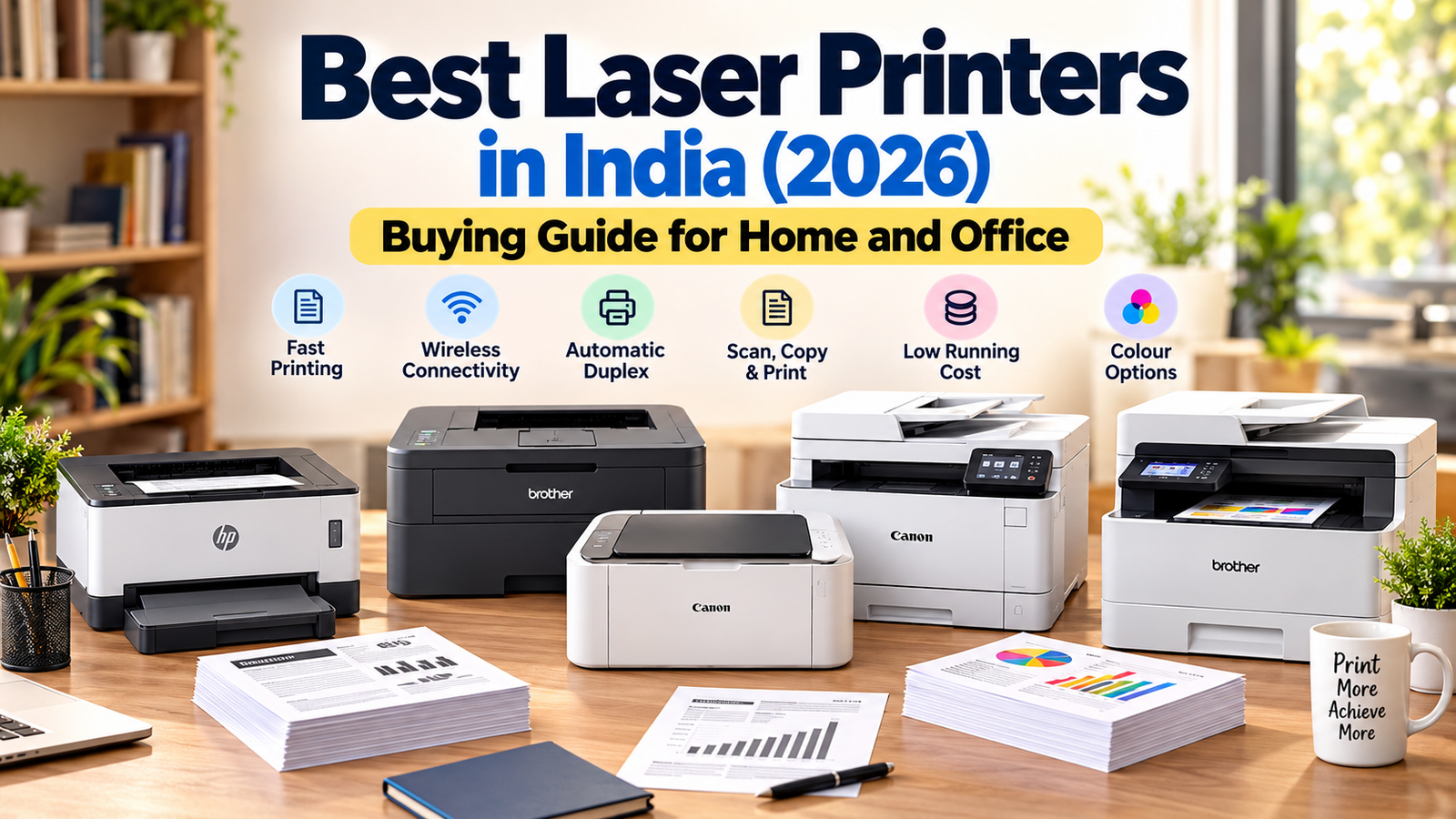
A good laser printer can make printing school worksheets, office documents, invoices and study materials much more convenient. But choosing the right one isn't simply about buying the cheapest printer or the model with the highest printing speed.
Some laser printers only print, while others also scan and photocopy. Some support wireless printing from smartphones, while others require a USB connection. More importantly, the price of replacement toner cartridges can make a seemingly affordable printer expensive to use over time.
In this guide, we compare seven laser printers available in the Indian market, covering budget home printers, wireless models, multifunction machines and colour office printers. The recommendations are based on manufacturer specifications, listed features and Indian retail information — not hands-on testing.
Affiliate disclosure: This guide may contain affiliate links. If you purchase through these links, we may earn a commission at no additional cost to you. As an Amazon Associate, we earn from qualifying purchases.
Our top laser printer recommendations

Best overall print-only printer
30 ppm printing, automatic duplex, dual-band Wi-Fi and a 250-sheet tray. Our preferred balance of convenience and everyday document-printing features.
Brother India
Manufacturer MRP: ₹17,990

Best simple budget option
A compact USB-only monochrome printer suited to basic printing from a computer, without paying for wireless or multifunction features.
Canon India
Canon online store listing: ₹12,100

Best for a small office
Print, scan and copy functions, a 50-sheet automatic document feeder, wireless networking and automatic duplex printing.
Compare the best laser printers in India
|
Printer |
Best for |
Print speed (A4) |
Key features |
|
Everyday document printing |
Up to 30 ppm |
Wi-Fi, auto duplex |
|
|
Basic home use |
18 ppm |
USB, compact |
|
|
HP LaserJet M208dw |
Wireless home office |
Up to 29 ppm |
Wi-Fi, auto duplex |
|
Frequent black-and-white printing |
Up to 34 ppm |
Wi-Fi, Ethernet, auto duplex |
|
|
Canon MF272dw |
Home scanning and copying |
Up to 29 ppm |
3-in-1, Wi-Fi, auto duplex |
|
Document-heavy small office |
Up to 34 ppm |
3-in-1, ADF, auto duplex |
|
|
Brother DCP-L3560CDW |
Colour business documents |
Up to 26 ppm |
Colour, 3-in-1, ADF |
Speeds are manufacturer-rated, not independently tested. All seven offer black-and-white output; only the last model also prints in colour. Prices vary by retailer and delivery location.
Best laser printers in India: Detailed reviews
1. Brother HL-L2440DW — Best overall for everyday printing


The Brother HL-L2440DW is our top recommendation for households, students and professionals who mainly need black-and-white prints without scanning or copying.
Its combination of 30 pages-per-minute printing, automatic two-sided printing, dual-band Wi-Fi and a 250-sheet paper tray makes it more versatile than many basic entry-level models. Brother also lists a full-capacity toner cartridge with an advertised yield of up to 3,000 pages in the box.
Key advantages: Convenient smartphone printing, reduced manual paper handling and a relatively generous included toner yield.
Limitations: No scanner, copier or colour printing. Replacement toner and drum costs still need to be considered.
Who should buy it? Students printing large study notes, families printing school materials, and home-office users who don't need a scanner.
Verdict: The strongest all-round print-only choice in this shortlist, particularly when Wi-Fi and automatic duplex printing are priorities.
2. Canon imageCLASS LBP6030B — Best for a simple budget setup

Not everyone needs a fast wireless printer. If your requirements involve printing occasional assignments, letters, bills or forms from a desktop computer, the Canon LBP6030B is a straightforward alternative.
It offers 18 ppm printing, a 150-sheet paper input tray and USB connectivity. The compact design is also helpful for a small study table.
Key advantages: Simple functions, compact body and fewer connectivity features to configure.
Limitations: No Wi-Fi, automatic duplex printing, scanner or photocopier. Its 18 ppm speed is slower than the newer Brother and HP options here.
Who should buy it? Home users with a single computer who want an uncomplicated monochrome printer.
Verdict: A sensible basic option, provided the cost of its Cartridge 925 toner fits your expected printing volume.
3. HP LaserJet M208dw — Best HP option for wireless home printing

The HP LaserJet M208dw is worth comparing if you prefer an HP printer for your home office.
It provides wireless printing, automatic duplex printing and an A4 rated speed of up to 29 ppm. HP lists the recommended monthly print volume at 200–2,000 pages.
The HP 137A and higher-yield 137X toner cartridges are specified for the Indian version, making replacement-cartridge prices particularly important when evaluating ongoing costs.
Key advantages: Wireless convenience, double-sided printing and smartphone printing support.
Limitations: Print-only functionality. HP explicitly states that its dynamic-security system can block cartridges using non-HP chips, which buyers considering third-party toner should understand.
Who should buy it? Professionals and households wanting a wireless HP printer for regular black-and-white documents.
Verdict: A capable alternative to the Brother HL-L2440DW, but compare total ownership costs before deciding.
4. Brother HL-B2180DWB — Best for frequent monochrome printing

For a household or office that prints documents frequently, the Brother HL-B2180DWB deserves attention.
It has a manufacturer-rated speed of up to 34 ppm, a 250-sheet tray, automatic duplex printing, USB, Ethernet and Wi-Fi connectivity. Brother lists a 2,600-page-yield toner cartridge included in the package.
Key advantages: Fast rated printing, wired and wireless network options, and automatic two-sided output.
Limitations: No built-in scanning or copying. Its running-cost advantage should be verified using current original toner and drum prices rather than assumed from the printer's product positioning.
Who should buy it? Coaching centres, home offices and small businesses printing substantial volumes of invoices, worksheets and documents.
Verdict: One of the more compelling print-only options for buyers who prioritize frequent printing.
5. Canon imageCLASS MF272dw — Best multifunction printer for home use

If you regularly scan identification documents, photocopy forms or digitize paperwork, a multifunction laser printer may be more useful than a print-only device.
The Canon MF272dw combines printing, scanning and copying with Wi-Fi, Ethernet and automatic duplex printing. Its rated print speed is up to 29 ppm.
Key advantages: Three everyday functions in one machine, mobile printing support, and a 5-line LCD display.
Limitations: Its flatbed scanner is less convenient for scanning large stacks of documents than an ADF-equipped model. The standard 071 and high-yield 071H toner cartridges have rated yields of 1,200 and 2,500 pages respectively.
Who should buy it? Families, teachers and home-based professionals who regularly need to print, scan and photocopy.
Verdict: A practical multifunction choice where document scanning is useful but batch scanning is not a major requirement.
6. Brother DCP-L2640DW — Best multifunction printer for a small office

The Brother DCP-L2640DW is our preferred option in this shortlist for offices that frequently handle multi-page paperwork.
It combines monochrome printing, scanning and copying with wireless networking, automatic duplex printing and a 50-sheet automatic document feeder. The rated A4 print speed is up to 34 ppm.
Key advantages: The document feeder is especially useful for scanning or copying multipage documents. Wireless and wired connections also suit shared office environments.
Limitations: No colour printing. Buyers should check whether the ADF supports their exact double-sided scanning requirements, rather than assuming automatic duplex printing also means duplex scanning.
Who should buy it? Accountants, administrative teams, tutors and businesses regularly working with multipage forms.
Verdict: The most practical small-office multifunction recommendation here when an ADF is important.
7. Brother DCP-L3560CDW — Best for colour business documents

Most buyers can save money by choosing a monochrome printer. However, colour output becomes useful for presentations, charts, brochures and client-facing business materials.
The Brother DCP-L3560CDW uses LED-based electrophotographic printing technology, commonly grouped with colour laser-class printers. It prints in both black and colour at up to 26 ppm and includes duplex printing, a 50-sheet ADF, Wi-Fi and Ethernet.
Key advantages: Colour document printing, scanning, copying and automatic document feeding in one unit.
Limitations: Higher purchase cost, multiple colour consumables, and a larger physical footprint than compact monochrome models. It is not the first choice for photographic printing.
Who should buy it? Businesses regularly producing colour proposals, presentations and marketing documents.
Verdict: A worthwhile upgrade when business-quality colour documents are genuinely necessary.
How to choose the best laser printer in India
The seven printers above serve different buyers. Before spending money, consider the following factors.
1. Choose between monochrome and colour
A monochrome laser printer uses black toner and is typically the economical choice for text-heavy documents.
Choose monochrome if you mainly print school notes, invoices, reports, bills, forms and examination papers.
Choose colour if you regularly need presentation slides, charts, illustrated documents or branded office material.
For photo albums, colourful school projects and regular photo printing, a colour ink-tank printer may be a better fit than a colour laser printer.
2. Calculate the actual toner cost per page
This is arguably the most important financial consideration.
A printer costing ₹12,000 may eventually cost more to operate than a ₹17,000 printer if its replacement toner is expensive.
Use this formula:
\[ \text{Toner cost per page}=\frac{\text{Cartridge price}}{\text{Rated page yield}} \]
Here's a real example using Canon's published cartridge MRPs and yields:
|
Toner cartridge |
Listed MRP |
Rated yield |
Calculated cost/page |
|
Canon 925 |
₹6,445 |
1,600 pages |
₹4.03 |
|
Canon 071 |
₹4,675 |
1,200 pages |
₹3.90 |
|
Canon 071H |
₹7,645 |
2,500 pages |
₹3.06 |
Calculated from Canon India's published cartridge information. These are illustrative costs at MRP, not current discounted retail toner prices or guaranteed actual printing costs.
A high-yield toner cartridge can be economical for regular printing, even when its upfront purchase price is higher.
Remember to include drum replacement costs where applicable, paper costs and any other required consumables.
3. Consider your monthly printing volume
These are practical starting points for selecting a printer category, not manufacturer-certified thresholds.
|
Monthly printing |
Printer category to consider |
|
Under 100 pages |
Basic monochrome printer; compare ink-tank alternatives too |
|
100–300 pages |
Wireless monochrome laser printer |
|
300–1,000 pages |
Duplex printer with economical replacement toner |
|
1,000–2,000 pages |
Faster printer with high-yield consumables |
|
Over 2,000 pages |
Business-class printer with suitable recommended monthly volume |
The manufacturer's recommended monthly volume is more useful for normal purchasing decisions than its maximum monthly duty cycle.
4. Decide whether you need scanning and copying
A single-function printer handles printing only. It is generally preferable when you already have a separate scanner or rarely need to copy documents.
A multifunction printer adds scanning and copying. If your work involves many pages of paperwork, prioritise a model with an automatic document feeder (ADF).
An ADF reduces the need to place every sheet individually on the scanner glass.
5. Check Wi-Fi and mobile printing compatibility
Wireless printing is useful in Indian homes where family members use multiple laptops and smartphones.
Look for Wi-Fi, Wi-Fi Direct, Apple AirPrint or Mopria support, depending on the devices you use.
Do not assume that every printer advertised as wireless supports all these standards. Check the exact model's specifications, particularly if your household uses iPhones, Android phones and Mac computers.
6. Prioritise automatic duplex printing
Duplex printing means printing on both sides of a sheet.
If you print a 100-page document, duplex printing can reduce the number of physical sheets needed from 100 to approximately 50, depending on layout and print settings.
Automatic duplex is particularly helpful for students, teachers and offices that print long documents.
7. Check consumables and service support in India
Before ordering, verify the exact toner cartridge model, its current selling price, expected page yield, and whether the printer requires a separate drum unit.
Also check the warranty terms, authorised service availability, compatible operating systems and the seller's replacement policy.
For an imported model, pay special attention to whether the manufacturer's Indian warranty applies.
Laser printer vs ink-tank printer: Which should you buy?
|
Factor |
Laser printer |
Ink-tank printer |
|
Black text printing |
Excellent choice |
Also suitable |
|
Long periods without use |
Toner avoids ink drying |
Printhead maintenance may be needed |
|
Colour photographs |
Usually not ideal |
Often preferable |
|
High-volume colour printing |
Can be costly |
Often economical |
|
Typical consumables |
Toner and sometimes drum |
Bottled ink and maintenance components |
|
Best fit |
Text-heavy documents |
Mixed colour documents and photos |
Our recommendation: For black-and-white notes, invoices and office documents, start with a monochrome laser printer. For families regularly printing colourful worksheets, photos and graphics, compare colour ink-tank printers before committing to a laser model.
Frequently asked questions
Which is the best laser printer for home use in India?
The Brother HL-L2440DW is our preferred print-only home option because it includes wireless printing, automatic duplex and a 250-sheet paper tray. If you need scanning and copying, consider the Canon MF272dw instead.
Which is the best budget laser printer in India?
The Canon LBP6030B is a straightforward budget-oriented choice for USB printing. However, buyers should compare its toner costs with similarly priced Brother and HP alternatives before ordering.
Which laser printer is best for a small office?
The Brother DCP-L2640DW is a strong choice where printing, scanning, copying and an automatic document feeder are all useful.
Are laser printers cheaper to run than inkjet printers?
Not always. The economics depend on toner or ink prices, actual page yields and print volume. A monochrome laser printer can be practical for occasional text printing, while an ink-tank printer may offer lower running costs for frequent colour printing.
Do laser printers need ink?
No. Laser printers use toner rather than liquid ink. Some models also have a separate drum unit that eventually needs replacement.
Is a Wi-Fi laser printer worth buying?
Yes, if multiple devices need access to the printer or you want to print directly from your phone. USB-only models may be sufficient for a single-computer setup.
Final verdict: Which laser printer should you buy?
For most Indian households and professionals primarily printing black-and-white documents, Brother HL-L2440DW is our overall recommendation. It combines the practical features that matter most: Wi-Fi, duplex printing, good rated speed and a generous paper tray.
If you only need basic USB printing, the Canon LBP6030B is simpler. If scanning and copying are essential, the Canon MF272dw is a useful home option, while the Brother DCP-L2640DW is better suited to offices handling multiple documents.
The smartest purchase isn't necessarily the cheapest printer. It is the printer whose features, monthly workload and long-term consumable costs best match your actual needs.